Buttons, dropdowns and forms for different requests
Create a support panel, a bug-report panel or several panels for different teams. Give each button its own opening category, staff roles and claimed/closed destinations.
Open a ticket right away, ask questions in a modal form, or let the member choose a route from a selection menu. Forms can collect text, choices and file uploads. You can also send a submission to a channel or offer approved community roles.
Discord limits still apply: the panel library supports up to 25 buttons per panel and five fields per form, including routing or role selectors. Read how panels and forms work.
Give staff a clear ticket system
Staff claim and close tickets in Discord. Set categories for new, claimed and closed requests, choose support roles and limit how many tickets each member can open. Inactivity closing is available when you need it.
Every ticket gets a number. Keep usernames in channel names, switch to names such as ticket-42, or use a custom name. Changing the naming mode keeps the count going; resetting the system starts it again at 1.
A transcripts made for your tickets
Generate a website transcript page with a link to your ticket Keep a copy in your transcript log so staff can refer back to the conversation after closing the channel.
Hosted copies last six days. The dashboard can restore a copy from an available Discord archive or regenerate it from a readable ticket channel. If both are gone, the conversation cannot be recovered from anywhere. Check transcript limits and access.
Manage everything from your server's dashboard
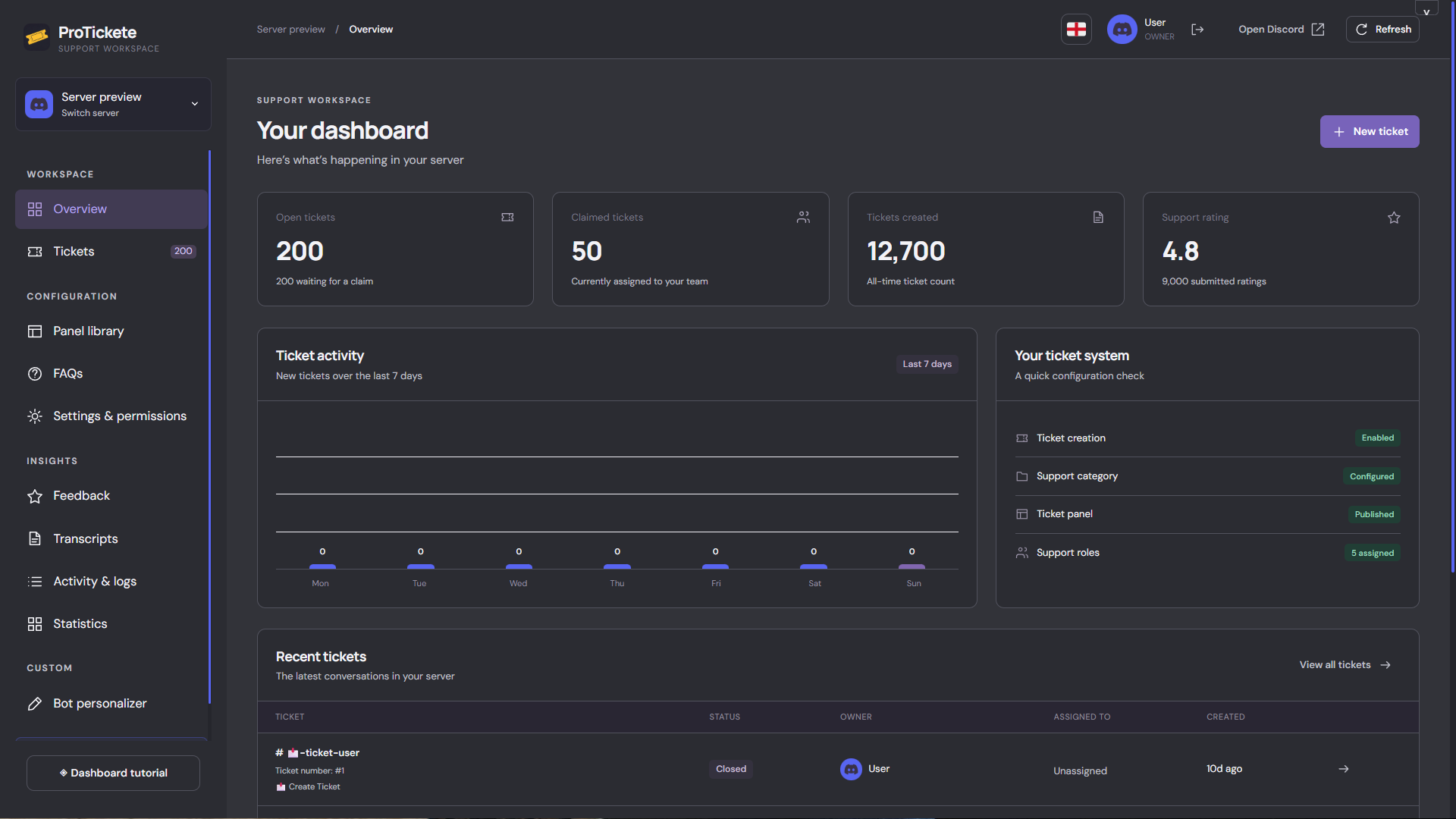
Use the dashboard to edit panels, configure roles and categories, search transcripts, review feedback and check staff activity. It supports English and Arabic!
The dashboard requires server owner or Administrator access.
Open your server dashboard or follow the first-time setup guide. You got a tutorial tour!
Enable FAQs to your tickets panel, Let it be quick for members
Add FAQs to the main panel so members can get quick answers before opening a ticket. You can manage it from the dashboard or by running the command /manage-tickets
Free tickets or your own branded bot?
The regular ProTickete bot is free: panels, modal forms, dropdowns, staff tools and hosted transcripts do not need a paid ticket plan EVERYTHING FREE. Discord limits and the optional dashboard vote requirement still apply.
ProTickete Custom bot plans are a separate offer for your own bot name, avatar and hosting. The page currently collects interest; it does not take payment or activate a bot. More details soon 👀
| Option | What you get | Next step |
|---|---|---|
| Free ProTickete | Use the shared bot and ticket features in your server. | Invite the free ticket bot |
| Custom bot | Your bot’s identity with ProTickete’s features and hosting. | View custom bot plans |